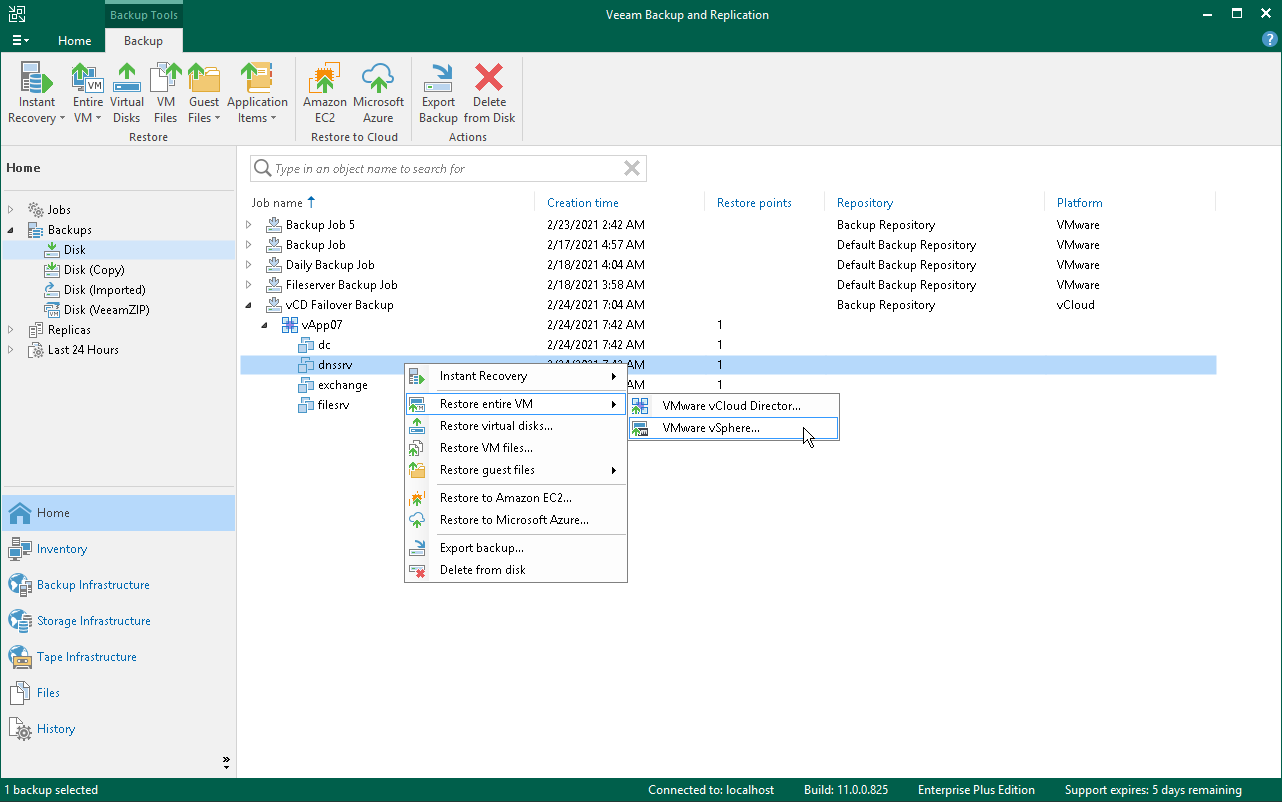
You can restore vCloud Director VMs from the backup to the VMware vSphere infrastructure.
During restore, Veeam Backup & Replication neglects the vApp metadata saved to the backup file and performs a regular entire VM restore process. The VM is restored to the vCenter Server or ESXi host and is not registered in vCloud Director. vCloud-specific features such as fast provisioning are not supported for such type of restore.
To launch the Full VM Restore wizard, do one of the following:
- Open the Home view, in the inventory pane select Backups. In the working area, expand the necessary backup, select the VMs you want to restore and click Entire VM > VMware vSphere on the ribbon.
- Open the Inventory view. In the inventory pane, expand the vCloud Director hierarchy and select the vCenter Server. In the working area, right-click the VM you want to restore and select Restore entire VM > VMware vSphere.
Entire VM restore of vCloud Director VMs does not differ from entire VM restore of regular VMware VMs. For more information, see Performing Entire VM Restore.