query sql pulizia ALYANTE

UPDATE CG18_ANADITTABASE
set CG18_IDPOLYEDRO = NULL
WHERE NOT CG18_IDPOLYEDRO IS NULL

UPDATE FW06_GROUPUSR
SET FW06_IDPOLYEDRO = NULL
WHERE NOT FW06_IDPOLYEDRO IS NULL

UPDATE FW07_APPUSER
SET FW07_IDPOLYEDRO = NULL
WHERE NOT FW07_IDPOLYEDRO IS NULL

UPDATE FW90_TPSERVICES
SET FW90_IDPROCEDURATP = NULL
WHERE NOT FW90_IDPROCEDURATP IS NULL

UPDATE FW90_TPSERVICES
SET FW90_PWDAUTH = NULL
WHERE NOT FW90_PWDAUTH IS NULL
Installazione Alyante Enterprise


Sql Bundle con aggiornamento viene venduto al cliente


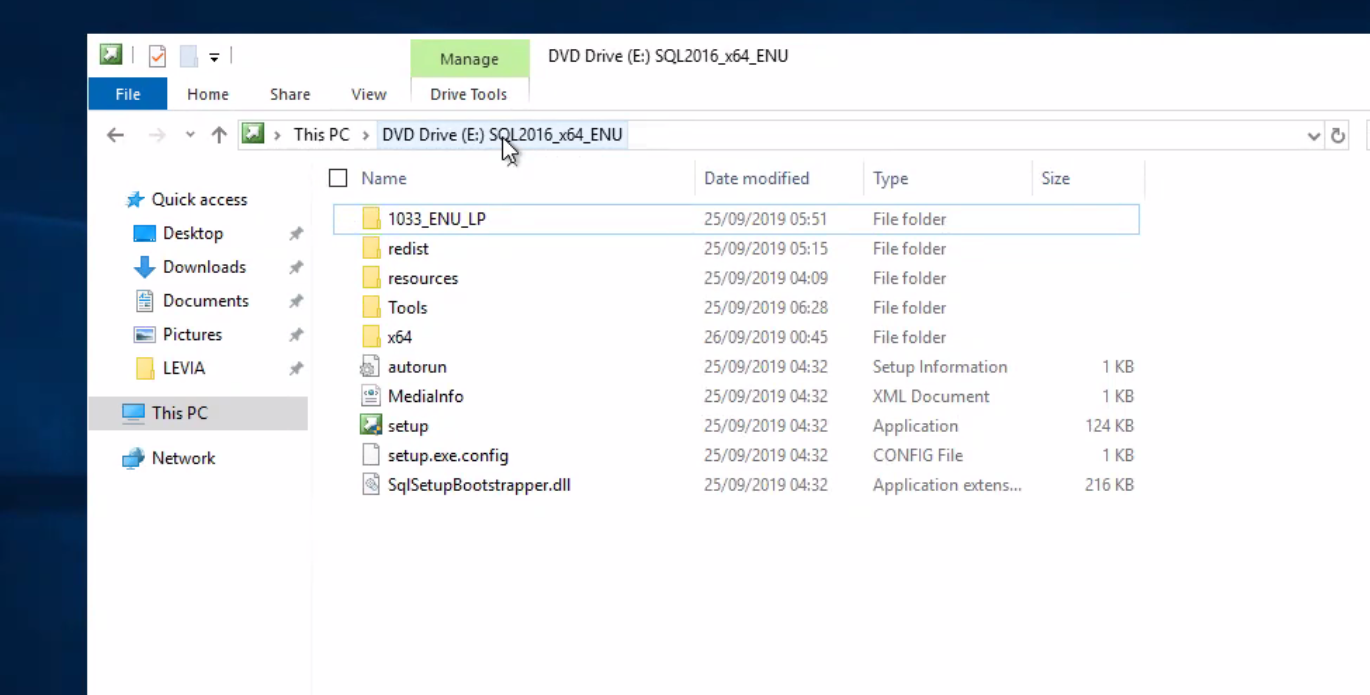
Installare sql2016 ENU X64


\\srvifs\SOFTWARE\Microsoft


File Home Share View DVD Drive (E) Manage Drive Tools •t ThisPC DVDDrive(E) 16 x64 ENU Name Date modified 25/09/2019 05:51 25/09/2019 05:15 25/09/2019 04:09 25/09/2019 26/09/2019 00:45 25/09/2019 04:32 25/09/2019 0432 25/09/2019 04:32 25/09/2019 04:32 25/09/2019 04:32 Type File folder File folder File folder File folder File folder Setup Information XML Document Application CONFIG File Application extens... Size * Quick access Desktop Downloads Documents (e Pictures This pc Network 1033 ENU LP resources Tools autorun Medialnfo setup setup.exe.config SqlSetupBootstrapper.dll 124 KB 216 KB


Cc Resett - Levia Tecnicoaz Stefano


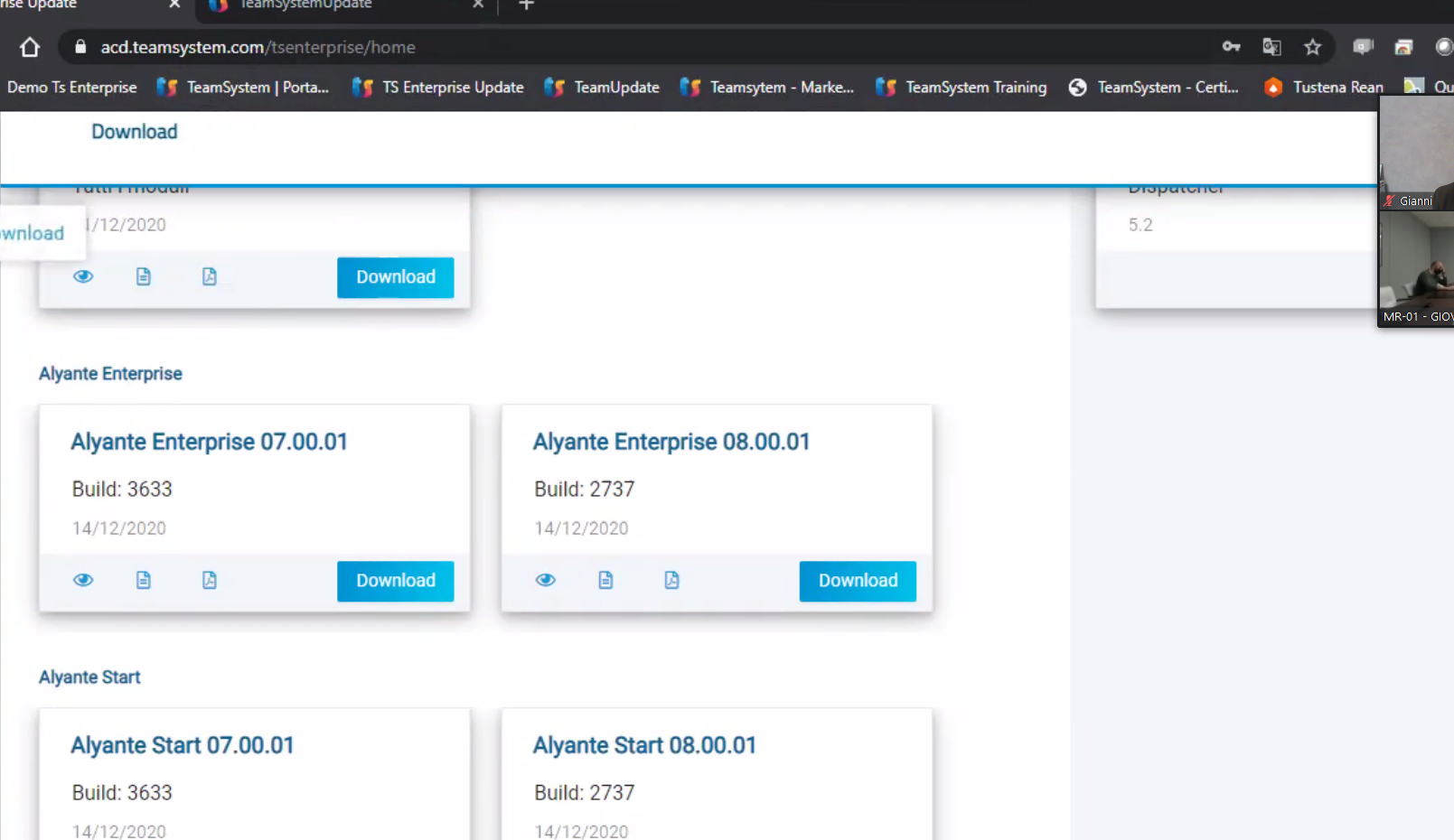
acd.teamsystem.com/tsenterprise/home Derno Ts Enterprise TeamSystem I Porta.„ Download 1/12/2020 wnload Alyante Enterprise Alyante Enterprise 07.00.01 Build: 3633 Alyante Start Alyante Start 07.00.01 Build: 3633 TS Enterprise Update Download Download TeamUpdate Teamsytem - TeamSystem Training e TeamSystem - 5.2 Tustena Rean Gianni MR-OI - GIO\ Alyante Enterprise 08.00.01 Build: 2737 14/12/2020 Alyante Start 08.00.01 Build: 2737 14/12/2020 Download


INSTALLAZIONE SQL


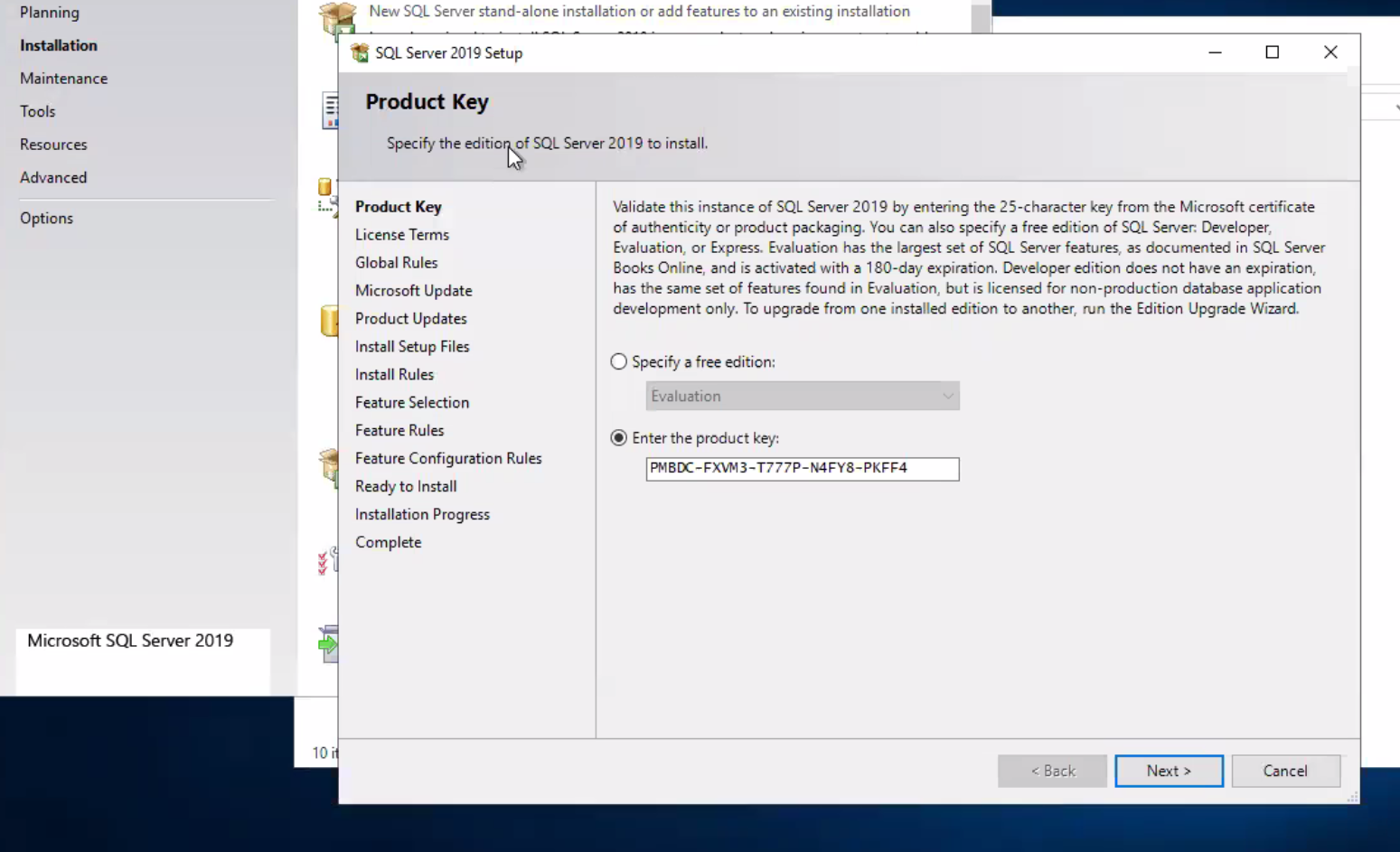
New sql installation


Planning Maintenance Tools Resources Advanced Options Microsoft SQL Server 2019 New SQL Server stand-alone installation or add features to an existing installation SQL Server 2019 setup Product Key Specify the editio of SQL Server 2019 to install. x Product Key License Terms Global Rules Microsoft Update Product Updates Install Setup Files Install Rules Feature Selection Feature Rules Feature Configuration Rules Ready to Install Installation Progress Complete 10 • Validate this instance of SQL Server 2019 by entering the 25-character key from the Microsoft certificate Of authenticity or product packaging. You can also specify a free edition Of SQL Server. Developer, Evaluation, or Express. Evaluation has the largest set of SQL Server features, as documented in SQL Server Books Online, and is activated with a 180-day expiration. Developer edition does not have an expiration, has the same set of features found in Evaluation, but is licensed for non-production database application development only. TO upgrade from one installed edition to another, nun the Edition Upgrade Wizard. C) Specify a free edition: evaluation @ Enter the product key: PMBX-FXW3-T777P-N4FY8-PKFF4 Beck Next > Cancel


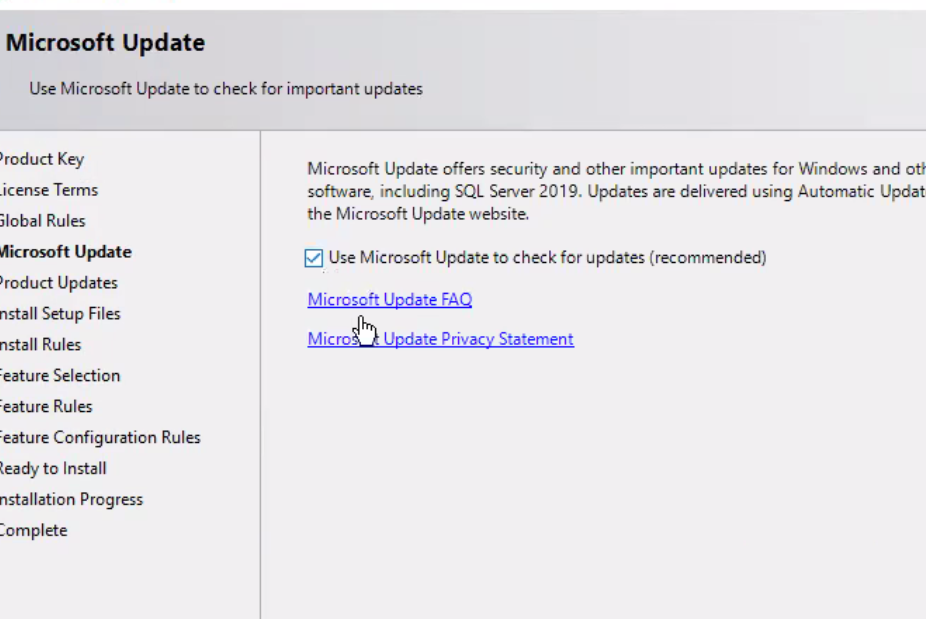
Microsoft Update Use Microsoft update to check for important updates 'roduct Key .icense Terms 310bal Rules Update Yroduct Updates nstall Setup Files nstall Rules :eature Selection :eature Rules :eature Configuration Rules leady to Install nstallation Progress :omplete Microsoft Update offers security and other important updates for Windows and Ott software, including SQL Server 2019. Updates are delivered using Automatic updat the Microsoft Update website. use Microsoft Update to check for updates (recommended) Microsoft FAQ Micro Update Privacy Statement


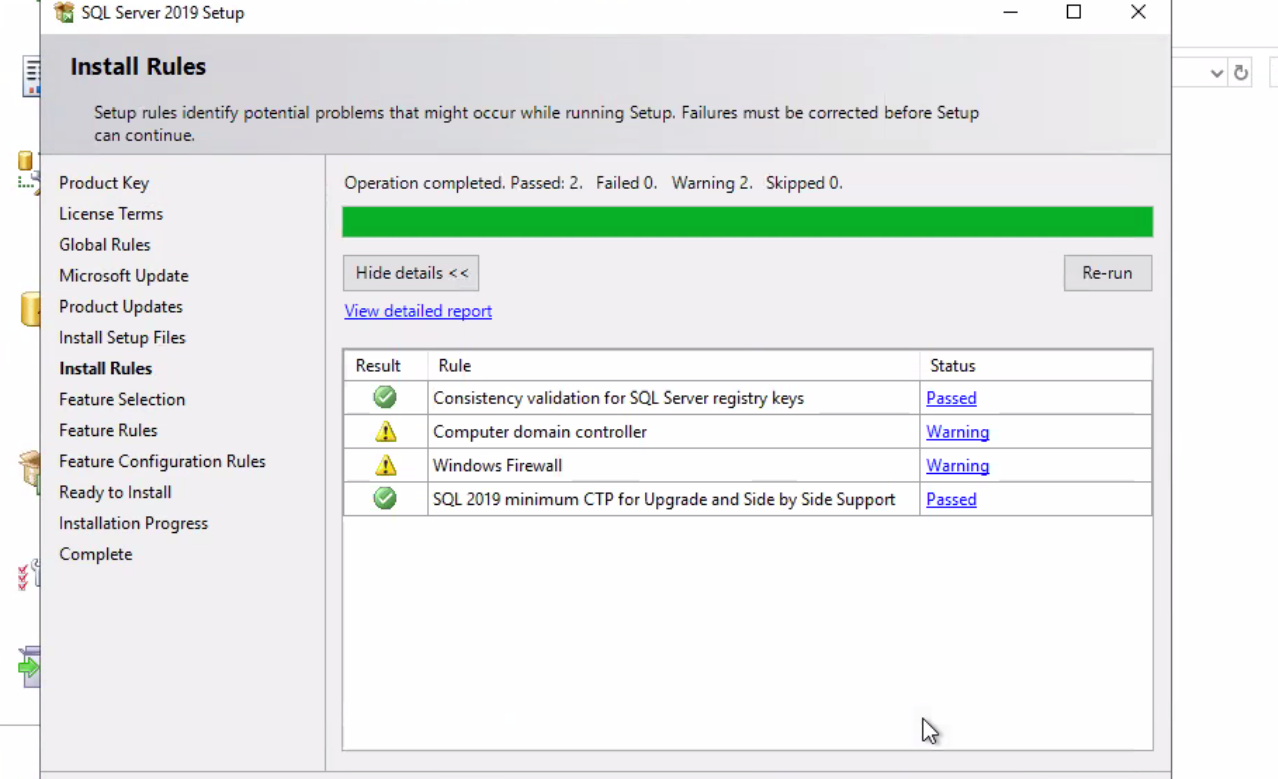
SQL Server 2019 setup Install Rules Setup rules identify potential problems that might occur while running Setup. Failures must be corrected before Setup can continue. Product Key License Terms Global Rules Microsoft Update Product Updates Install Setup Files Install Rules Feature Selection Feature Rules Feature Configuration Rules Ready to Install Installation Progress Complete Operation completed. Passed: 2. Failed O. Waming 2. Skipped 0. Hide details < < View detailed report x Re-run Result Rule Consistency validation for SQL Server registry keys Computer domain controller WInd0ws Firewall SQL 2019 minimum CTP for Upgrade and Side by Side Support Status Passed Warning Werning Passed


COMPONENTI DA INSTALLARE


Feature Selection Select the Standard features to install. Product Key License Terms Global Rules Microsoft Update Product Updates Install Setup Files Install Rules Feature Selection Feature Rules Instance Configuration Server Configuration Database Engine Configuration Feature Configuration Rules Ready to Install Installation Progress Complete O Looking for Reporting Services? Features: Instance Features Database Engine Services SQL Server Replication Download it from the web [D Machine Learning Services and Language Extensions Python O Java Full-Text and Semantic for Search C] Data Quality Services [J PolyBase Query Service for External Data Java connector for HDFS data sources Analysis Services Shared Features Data Quality Client Client Tools Connectivity ntegration Services Scale Out Worker C] Client Tools Backwards Compatibility Feature description: The configuration and operation Of each instance fei instance IS isolated from other SQL Server instances. can operate side-by-side on the same computer. Prerequisites for selected features: Already installed: Windows PowerShell 3.0 or higher TO be installed from media: Microsoft Visual C++ 2017 Redistributable Disk Space Requirements Drive C: 1263 MB required, 12493 MB available Select All Unselect All Instance root directory: C:\Program Files\Microsoft SQL Server\


INTEGRATION SERVICE SOLO CLIENTI CHE LAVORANO CON NET PRIME


Feature Selection Select the Standard features to install. Product Key License Terms Global Rules Microsoft Update Product Updates Install Setup Files Install Rules Feature Selection Feature Rules nstance Configuration Server Configuration Database Engine Configuration Feature Configuration Rules to Install Installation Progress Complete O Looking for Reporting Services? Features: Python O Java Download it from the web [J Full-Text and Semantic Extractions for Search [3 Data Quality Services PolyBase Query Service for External Data [3 Java connector for HDFS data sources Analysis Services Shared Features Data Quality Client Client Tools Connectivi#y C] Integration Services Scale Out Worker Client Tools Backwards Compatibility Client Tools SDK Distributed Replay Controller Distributed Replay Client SQL Client Connectivity SDK Redläibutable Features Feature description: The configuration and operation Of each instance feature instance is isolated from other SQL Server instances. SQL S can operate side-by-side on the same computer. Prerequisites for selected features: Already installed: Windows PowerShell 3.0 or higher TO be installed from media: Microsoft Visual C++ 2017 Redistributable Disk Space Requirements Drive C: 1379 MB required, 12492 MB available Gianni MR-OI - Select All Unselect All Instance root directory: Shared feature directory: Shared feature directory (x86): C:\Program Files\Microsoft SQL Server\ Files\Microsoft SQL Server\ Files SQL Server\ Back


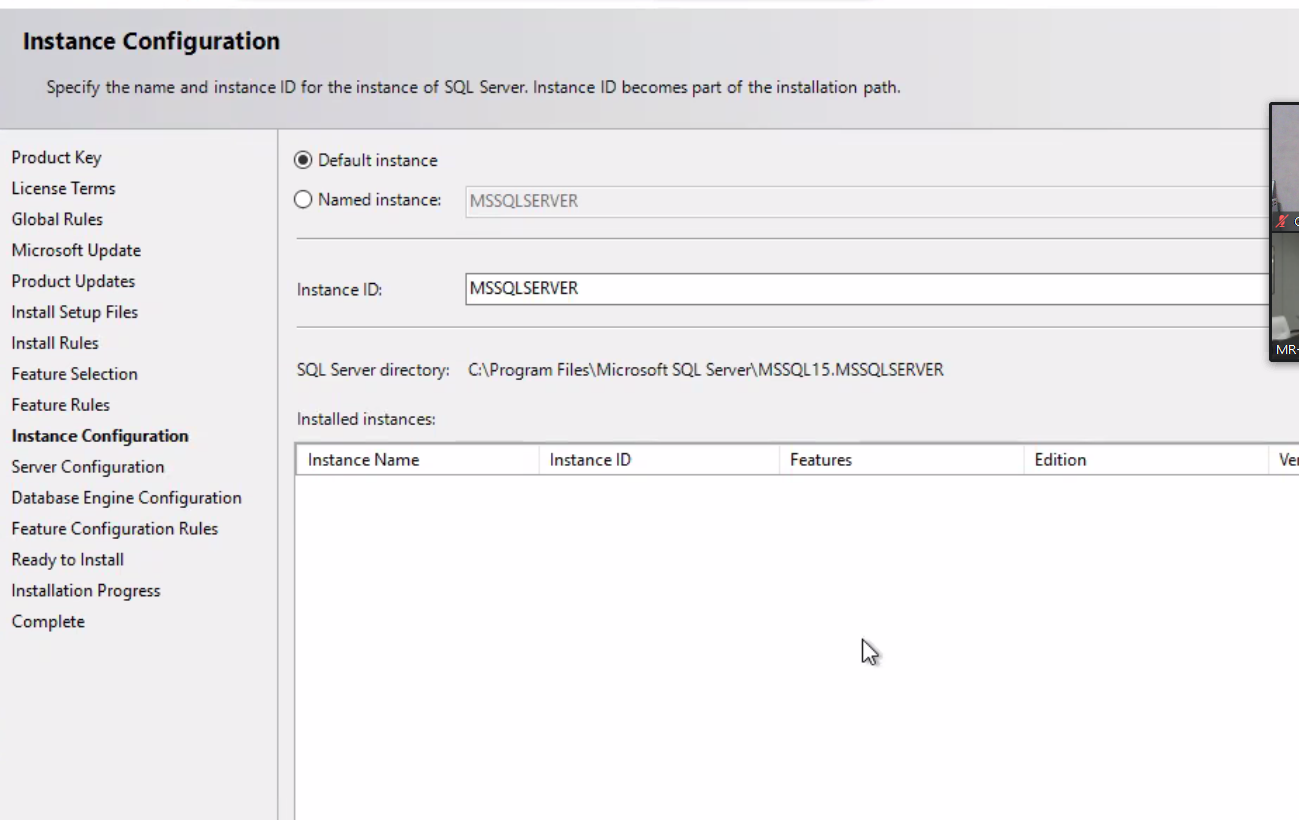
Instance Configuration Specify the name and instance ID for the instance of SQL Server. Instance ID becomes part of the installation path. Product Key License Terms Global Rules Microsoft Update Product Updates Install Setup Files Install Rules Feature Selection Feature Rules Instance Configuration Server Configuration Database Engine Configuration Feature Configuration Rules Ready to Install Installation Progress Complete @ Default instance C) Named instance: Instance ID: SQL Server directory: Installed instances: Instance Name MSSQLSERVER MSSQLSERVER Files\Microsoft SQL Server\MSSQL 1 5 .MSSQLSERVER Instance ID Features Edition


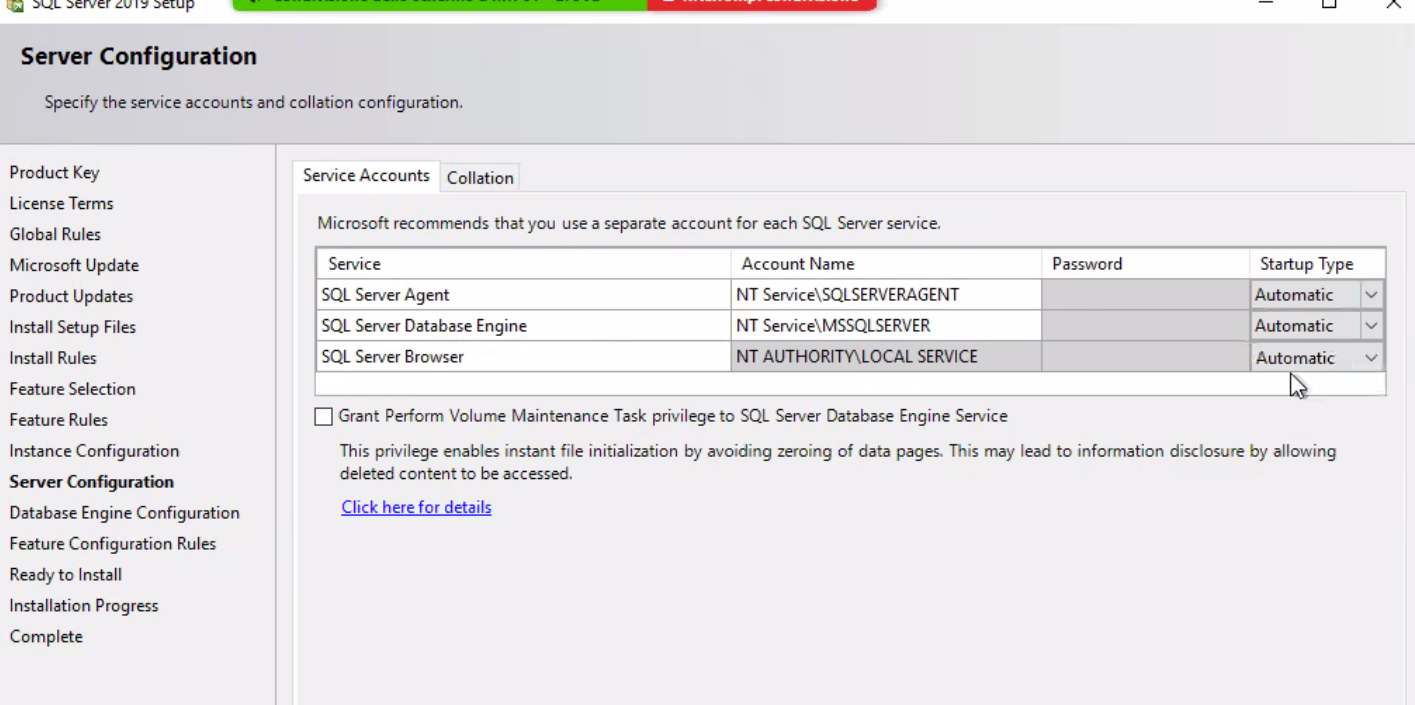
Server Configuration Specify the service accounts and collation configuration. Product Key License Terms Global Rules Microsoft Update Product Updates Install Setup Files Install Rules Feature Selection Feature Rules Instance Configuration Server Configuration Database Engine Configuration Feature Configuration Rules Ready to Install Installation Progress Complete Service Accounts Collation Microsoft recommends that you use a separate account for each SQL Server service. Service SQL Server Agent SQL Server Database Engine SQL Server Browser Account Name NT Service\SQLSERVERAGENT NT Service\MSSQLSERVER NT AUTHORImLOCAL SERVICE Password Startup Type Automatic Automatic Auto matic Grant Perform Volume Maintenance Task privilege to SQL Server Database Engine Service This privilege enables instant file initialization by avoiding zeroing of data pages. This may lead to information disclosure by allowing deleted content to be accessed. Click here for details


FIREWALL

PORTE APERTE :

TCP1433

UDP1444


ABILITARE NPIPE

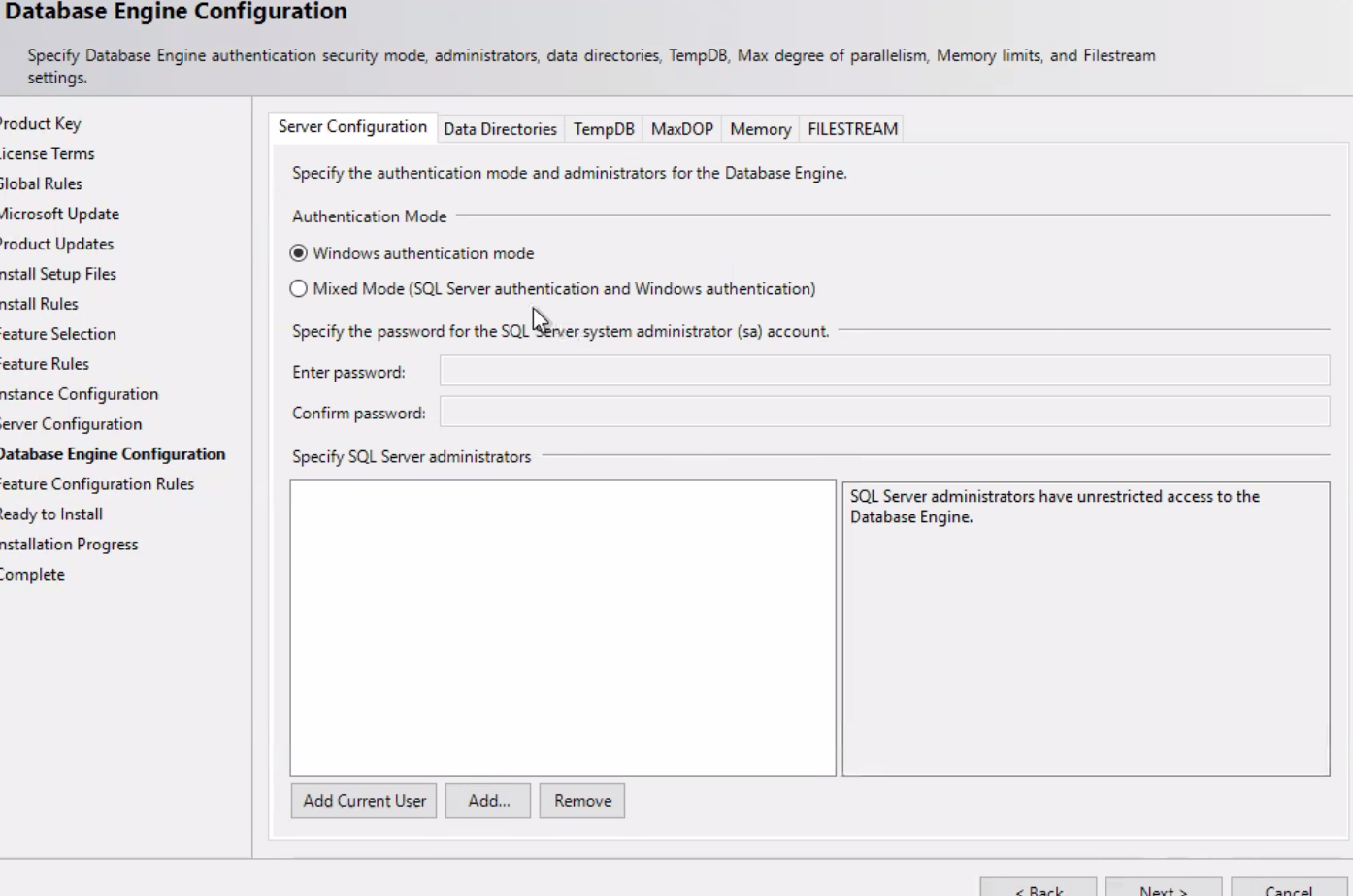
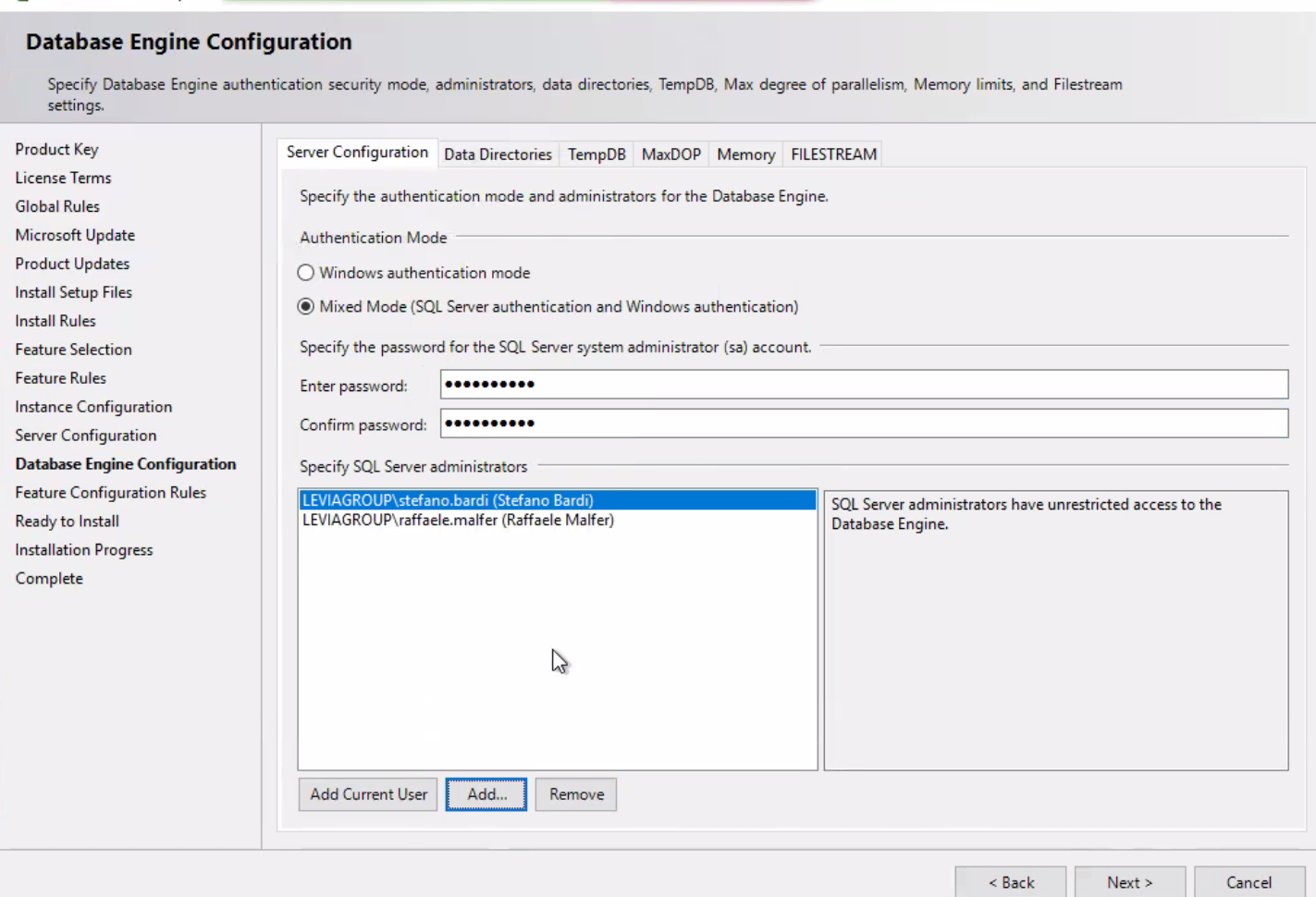
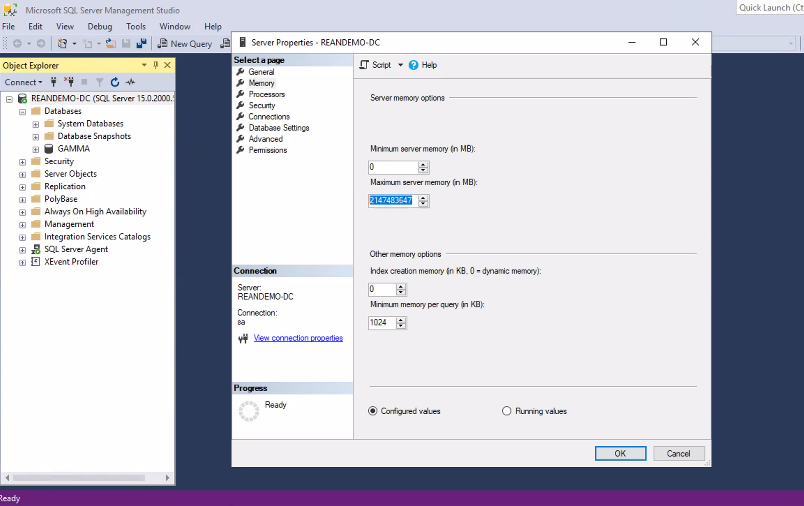
Database Engine Configuration Specify Database Engine authentication security mode, administrators, data directories, TempDB, Max degree of parallelism, Memory limits, and Filestream settings. 'rod uct Key .icense Terms 510bal Rules Aicrosoft Update 'roduct Updates nstall Setup Files nstall Rules :eature Selection :eature Rules nce Configuration ;erver Configuration Engine Configuration :eature Configuration Rules leady to Install nstallation Progress lomplete Server configuration Data Directories TempDB MaxDOP Memory FILESTREAM Specify the authentication mode and administrators for the Database Engine. Authentication Mode @ Windows authentication mode C) Mixed Mode (SQL Server authentication and Windows authentication) Specify the password for the SQL Enter password: Confirm password: Specify SQL Server administrators er system administrator (sa) account. SQL Server administrators have unrestricted access to the Database Engine. Add Current User Add...


INSERIE SEMPRE PASSWORD DI UTENTE sa : Levia<<codice cliente>>


Database Engine Configuration Specify Database Engine authentication security mode, administrators, data directories, TempDB, Max degree of parallelism, Memory limits, and Filestream settings. Product Key License Terms Global Rules Microsoft Update Product Updates Install Setup Files Install Rules Feature Selection Feature Rules Instance Configuration Server Configuration Database Engine Configuration Feature Configuration Rules Ready to Install Installation Progress Complete Server configuration Data Directories TempDB MaxDOP Memory FILESTREAM Specify the authentication mode and administrators for the Database Engine. Authentication Mode C) Windows authentication mode @ Mixed Mode (SQL Server authentication and Windows authentication) Specify the password for the SQL Server system administrator (sa) account. Enter password: Confirm password: Specify SQL Server administrators LEVIAGROUP\stefanc.bardl (Stefano Bardi) LEVIAGROlJP\raffaele.malfer (Raffaele Malfer) SQL Server administrators have unrestricted access to the Add Current user Add... Database Engine. Back Next Cancel


Data directories etc solitamente tutto di default eventualmente chiedere a ghiulio o al sist di riferimento


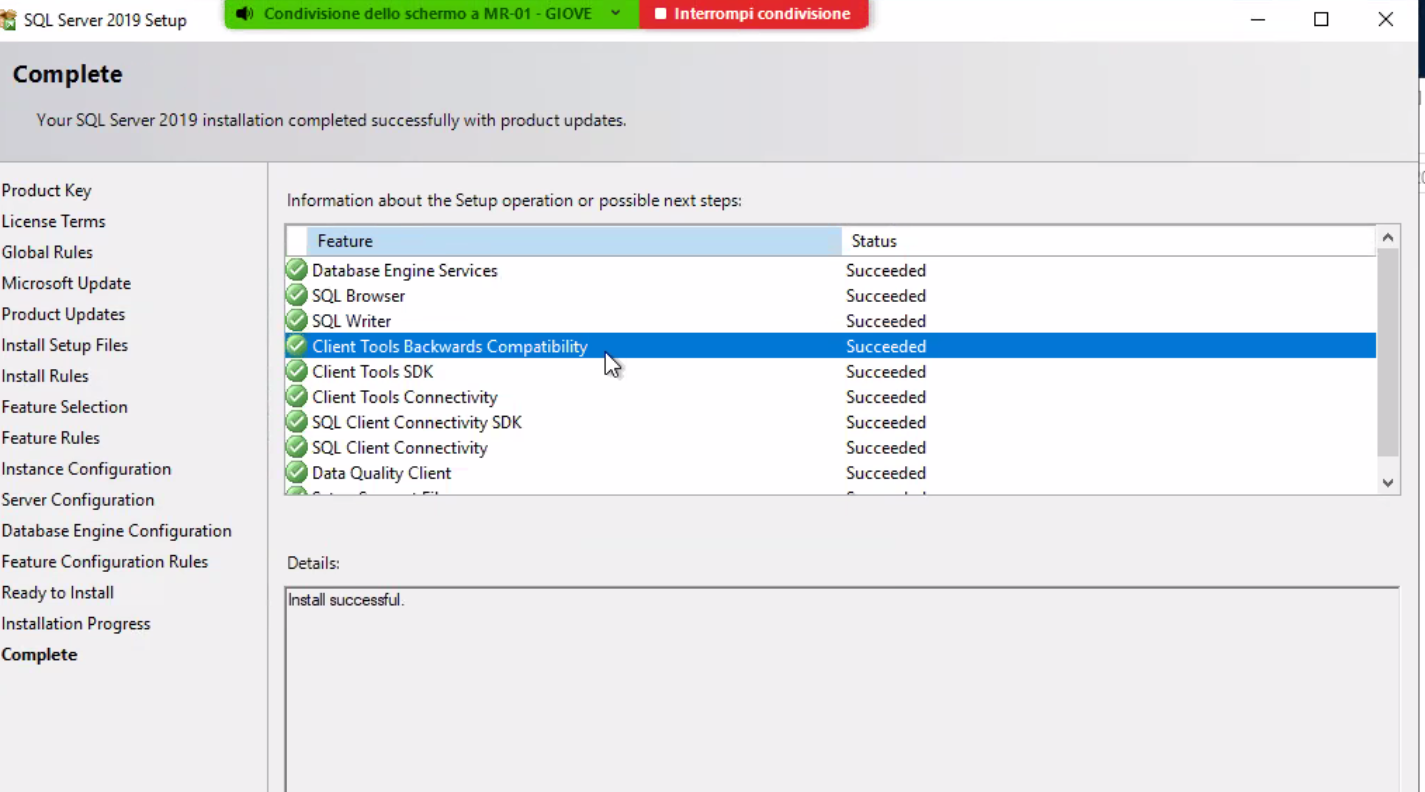
SQL Server 2019 Setup Complete Your SQL Server 2019 installation completed successfully with product updates. • Interrompi condivisione x Product Key License Terms Global Rules Microsoft Update Product Updates Install Setup Files Install Rules Feature Selection Feature Rules Instance Configuration Server Configuration Database Engine Configuration Feature Configuration Rules Ready to Install Installation Progress Information about the Setup operation or possible next steps: Feature Database Engine Services SQL Browser SQL Writer Client Tools Backwards Compatibility Client Tools SDK Client Tools Connectivity SQL Client Connectivity SDK SQL Client Connectivity Data Quality Client Details: Inul successful. Status Succeeded Succeeded Succeeded Succeeded Succeeded Succeeded Succeeded Succeeded Succeeded


Nel caso in cui ci siano errori generalmente si installa inserendo l’utente administrator


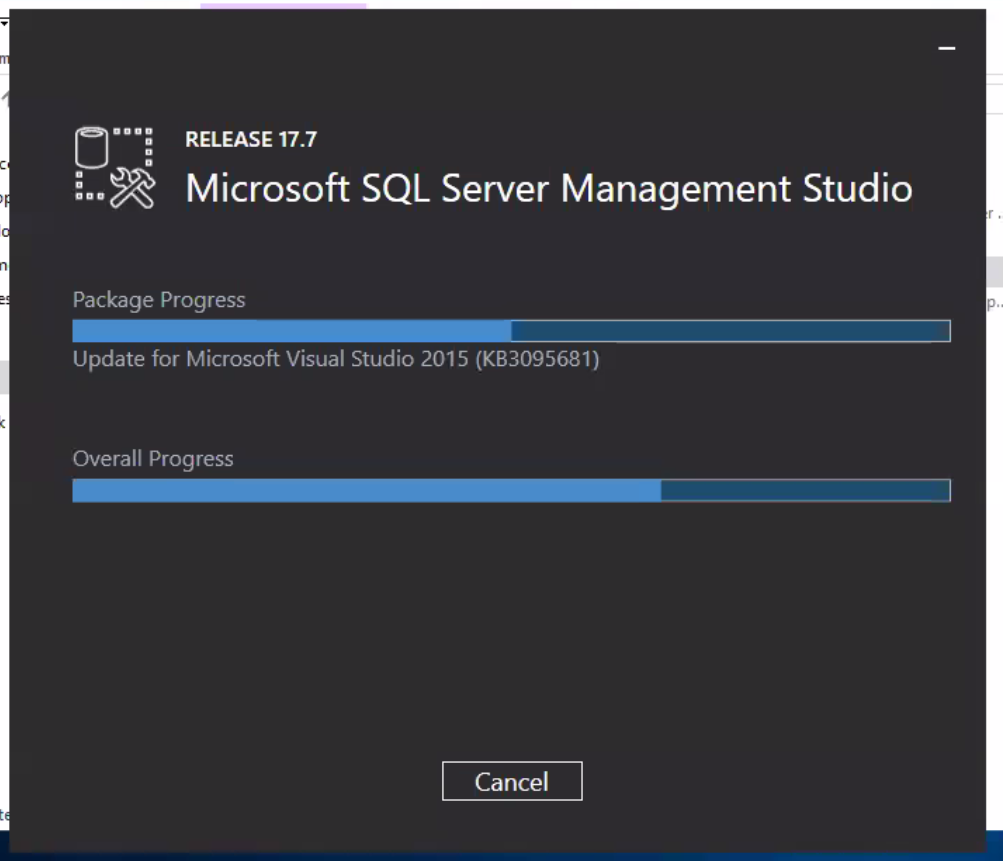
Di seguito si puo procedere a installare SQL server management studio e sql server configuration manager :


RELEASE 17.7 Microsoft SQL Server Management Studio Package Progress Update for Microsoft Visual Studio 2015 (KB3095681) Overall Progress Cancel


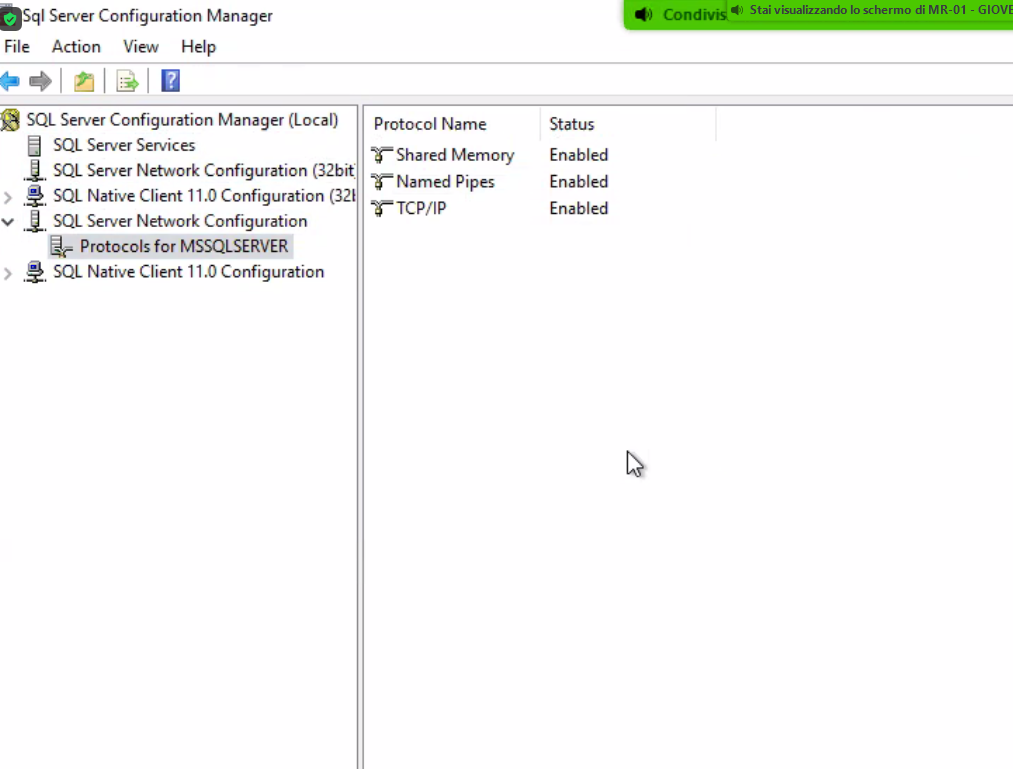
RICORDARSI DI ATTIVARE NAMED PIPES

Sql Server Configuration Manager file Action View Help SQL Server Configuration Manager (Local) Protocol Name SQL Server Services T Shared Memory SQL Server Network Configuration (32bit Named Pipes SQL Native Client 11.0 Configuration (321 > T TCP/IP v SQL Server Network Configuration Protocols for MSSQLSERVER SQL Natwe Client I I Configuration Stai visualizzando 10 schermo di MR-OI - GIOVE Status Enabled Enabled Enabled


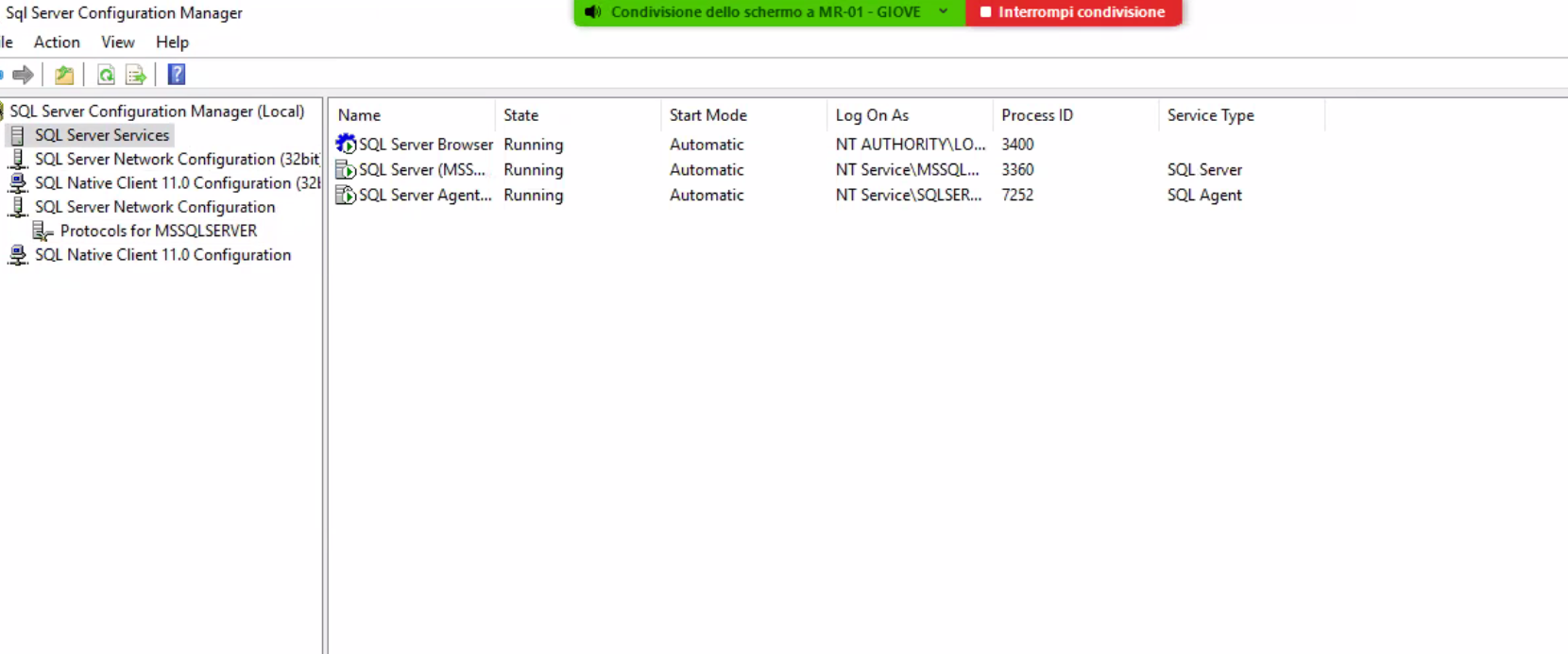
Unavolta finita l’installazione fare restart sul secondo servizio


Sql Server Configuration Manager sle Action View Help SQL Server Configuration Manager (Local) d SQL Server Services SQL Server Network Configuration (32bit SQL Native Client 11.0 Configuration (321 SQL Server Network Configuration Protocols for MSSQLSERVER SQL Native Client I I .0 Configuration Condivbione deno schermo a MR-OI • Interrompi Name SQL Server Browser b SQL Server (MSS... SQL Server Agent... Running Running Running Start Mode Automatic Automatic Automatic Log On As NT NT Service\MSSQL... NT Service\SQLSER... Process ID 3400 3360 7252 Service Type SQL Server SQL Agent


INSTALLARE POLYEDRO


Home Share View •t C] ThisPC Local Disk(C:) LEVIA 202001.00 Name Quick access Desktop Downloads Documents e] Pictures This pc Network Date modified 04/02/2021 1603 04/02/2021 1605 Type 8Z2 File Application Size 38438 KB 1 KB i' TEAMPORTAL Amb 'ente Applicativo Modulo Descrizione Data rilascio Versione Tipo moiulo InstaUa Note Search 2020.01.00 WINDOWS TEAMPORTAL x bugfix-20200107-py27.tar.bz2 polyedro-win32-20200100-x64 20200100 TearrPortaI 20/03/2020 20200100 INT CLIENTE Salva in oscita


C:\286C5465\9CDE6C34-DC68-418A-9E1C-EFAE5B32E73B_file\image018.png


Condivisione deno schermo a M R-01 prova - [Design)' - Microsoft SQL Server Management Studio File - GIOVE j Servers Interrompi condivisme Generic Debugger • Quick Launch (Ctrl-Q x Edit View project g Object Explorer Connect" Format Tools Window Help prova - sa [Design]• X Object Explorer Details Add Subplan X, Manage Connections.„ • . (SQL Setver13.O.1742.O- Databases Security Server Objects Replication • PolyBase sa) Cemmd) Rebuild Index Task Rebuild inde on Local server Databases: GAMMA Object: Tables and views Original amount of free space SQ- Server Age-it Always On High Availability Management Policy Management Data Collection Resource Govemor Extended Events • Maintenance Plans SQL Server Logs Database Mail Distributed Transaction Coordinato Legacy Integration Services Catalogs SQL Server Agent (Agent XP5 disabled) E] XEvent Profiler Back Up Databæe TEk Backup Database on Local saver Databases: GAMMA Type: Full Append existing Destinabon: Disk Backup Compression (Default) Check Integrity Task Check Database integrity on Local Databases: GAMMA Include indeæ Physical ordy Reorganize Inde Task Reorganize index on server Databases: GAMMA Object: Tables and views Compact large Objects Maintenance Cleanup Task Maintenance Cleanup Cleanup Database Backup file Age: Older than 4 Weeks History Cleanup Task Cleætup history cn History type: Backup,) 0b, Maintenance Plan Age: Older than 4 Weeks